 ADSGRAM
Why a Telegram ad is rejected and how to fix it
A practical review checklist for creative text, the destination and targeting before resubmitting.
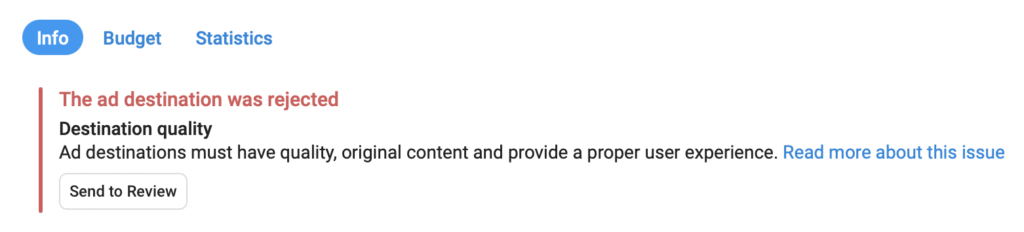
Read the exact rejection reason
Open the rejected ad in the official Ad Platform and read the reason shown there. A rejected destination needs a destination fix; changing only the headline is unlikely to resolve it. Keep the original ad and review notes so you can compare the next submission.
Check the creative
Official Telegram Ads limit ad text to 160 characters including spaces. Write a clear statement about the destination, use correct spelling and ordinary punctuation, and remove excessive emoji, repeated claims or gimmicky capitalization. Where text contains a Telegram link, it must lead to the same destination as the ad URL.
Do not promise results the destination cannot substantiate. A simple description of what users will find often works better than a broad claim.
Check the channel or bot
Telegram's policies expect a profile image and complete description, a functional active destination and original content. A channel should have recent posts; a bot should respond correctly to its commands on mobile and desktop. Make the ad language fit the destination and targeted audience.
Test the destination while signed out where possible. A page that is blank, unavailable, paywalled or just a redirect can be rejected even if the ad text itself is acceptable.
Resubmit with an evidence trail
Correct the specific issue, check the destination again, then use the review controls available in the platform. Do not hide different content from reviewers or switch the destination after approval. Telegram's current policies can change, so use the linked official policy as the final rulebook.